How AI Learned to Do Things: LLMs → Tools → MCP → Skills
A plain-language tour of LLMs, tool use, MCP, and agent skills — and why each was invented.
Everyone’s talking about AI, but half the explanations sound like someone swallowed a tech glossary. This one won’t. Let me try to cover four ideas—LLMs, Tool Use, MCP, and Agent Skills—each invented because the last one wasn’t quite enough. Five-minute read, zero PhD required.
LLM (Large Language Models)
It started with a simple question: can computers understand human language?
For decades, computers were great at following precise instructions but terrible at understanding natural language. You had to speak their language (programming) to get anything done.
Then came LLMs—Large Language Models, which changed everything..
The breakthrough idea: Feed a computer an enormous amount of text—books, websites, articles—and let it learn patterns. Not rules programmed by humans, but patterns discovered from billions of examples.
Think of it like this: Imagine someone who’s read every book in every library, every article on the internet, every conversation ever written down. They’ve never experienced the real world, but they’ve seen so much written language that they can predict what words naturally follow other words, how ideas connect, and how people express themselves.
That’s an LLM. When you ask it something, it generates a response word by word, choosing what’s most likely to make sense based on everything it’s learned.
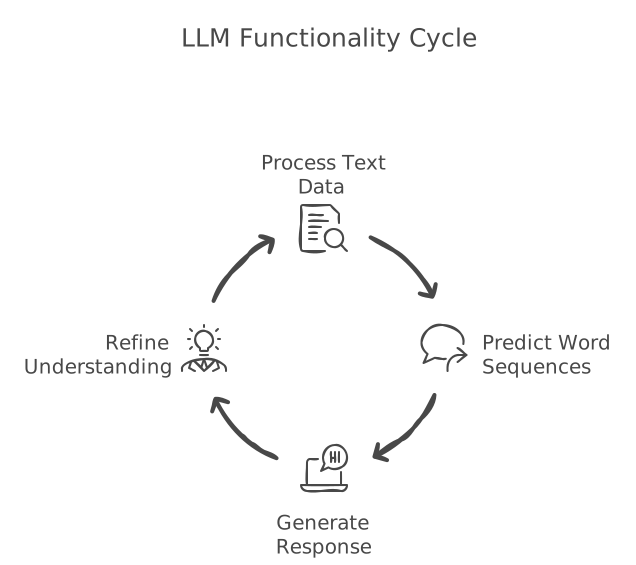
Though fundamentally we cannot say it understands human language now, it seems LLM is able to act like it does, and does so well.
What it’s good at: Explaining concepts, writing content, having conversations, analyzing text—anything that involves language.
What it can’t do: It can’t browse the internet, check today’s weather, or look up your calendar. It only knows what it learned during training. It’s stuck in the past, isolated from the real world.
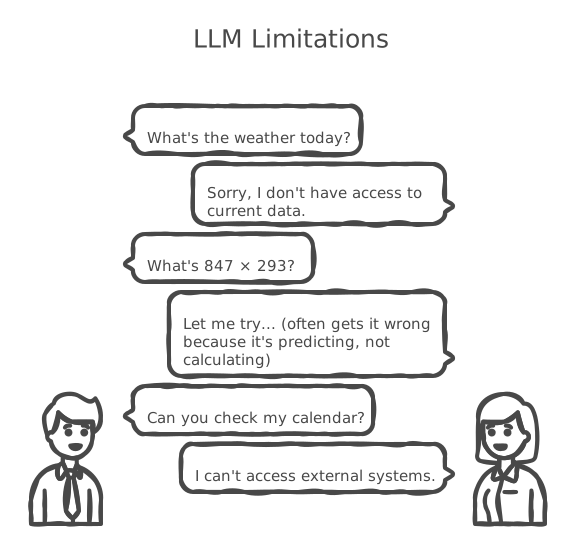
And that limitation led to the next evolution.
Tool Use & Function Calling
The problem: People loved chatting with LLMs, but quickly hit a wall.
“What’s the weather today?” — Sorry, I don’t have access to current data.
“What’s 847 × 293?” — Let me try… (often gets it wrong because it’s predicting, not calculating)
“Can you check my calendar?” — I can’t access external systems.
An LLM is like a brilliant advisor locked in a room with no phone, no internet, no windows. Incredibly knowledgeable, but completely disconnected.
The solution: Give it tools.
Here’s how it works:
You ask: “What’s the weather in Paris?”
The LLM recognizes it can’t answer this alone, but it has access to a weather-checking tool. So instead of guessing, it says to the system: “Please run the weather tool for Paris.”
The system runs the tool, gets real data, and passes it back. The LLM then crafts a natural response using that fresh information.
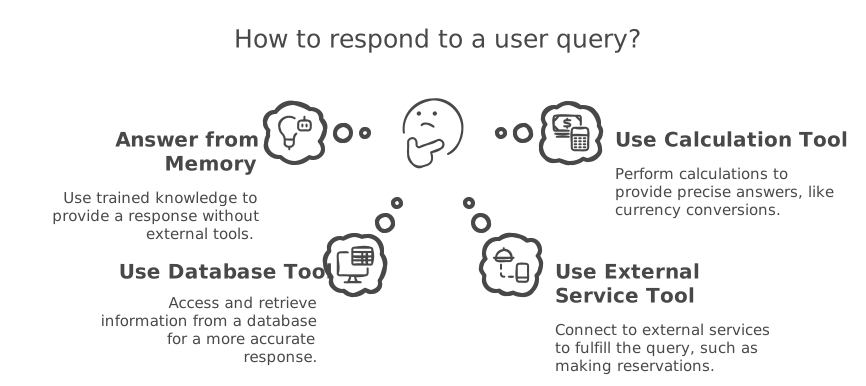
A helpful analogy: Think of a hotel concierge.
When you ask a question, they might:
- Answer from memory (hotel policies) — LLM’s trained knowledge
- Look something up in their computer (room availability) — database tool
- Make a phone call (restaurant reservation) — external service tool
- Use a calculator (currency conversion) — calculation tool
The concierge decides what needs to happen. The tools actually do it.
Examples of tools LLMs can use:
- Search the web for current information
- Run precise mathematical calculations
- Send emails or schedule meetings
- Access databases or files
- Control smart home devices
- Generate or analyze images
The impact: LLMs went from knowledgeable conversationalists to capable assistants that could actually do things.
But a new problem emerged.
MCP (Model Context Protocol)
The new headache: Tools were powerful, but connecting them was a nightmare.
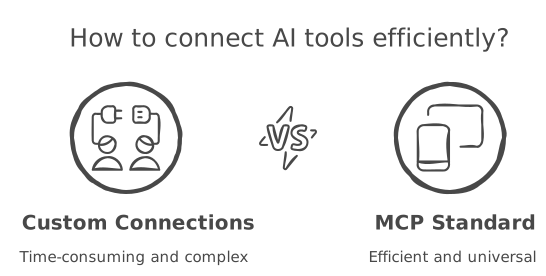
Every company that wanted their LLM to access tools had to build custom connections. Want to connect to Slack? Build a custom integration. Google Calendar? Another custom build. Your company database? Yet another one.
It’s like if every appliance in your house needed a unique type of outlet. Your toaster needs one design, your TV needs another, your phone charger needs a third. Chaos.
The solution: A universal standard.
Remember when every phone had a different charger? iPhones had Lightning, Android phones had micro-USB, some had proprietary connectors. You needed a drawer full of cables.
Then USB-C became standard. One cable, many devices.
MCP does the same thing for AI tools.
Instead of building custom connections for every service, developers build one MCP server per service. Any LLM that understands MCP can connect to it instantly.
Before MCP:
- AI team spends weeks building a Slack integration
- Then weeks on Google Drive
- Then weeks on your internal database
- Repeat for every new tool
After MCP:
- Each service has an MCP server (built once, used everywhere)
- Your AI connects to whichever ones you need
- Adding new tools takes minutes, not months
Three things that make MCP powerful:
1. Standardization — Everyone speaks the same language. Like how all websites use HTTP.
2. Modularity — Pick and choose what you need. Like LEGO blocks—snap together whatever combination works for you.
3. Security — The MCP server acts as a gatekeeper. Your LLM never touches your data directly; it asks the server, which checks permissions first. Like a librarian verifying you’re allowed to access certain materials.
What this enables: AI assistants that can seamlessly work with all your existing systems—email, documents, calendars, databases, project tools—without massive custom engineering for each one.
Now the LLM has tools. It can access them easily. But can it use them intelligently?
Agent Skills
The problem: AI assistants are smart, but they don’t know your way of doing things.
An AI can help you fill out forms or write reports. But it doesn’t know that your company always uses a specific format. It doesn’t know your team’s review checklist. It doesn’t know the unwritten rules that live in people’s heads or in scattered documents across the organization.
The solution: Write down your expertise in a way the AI can learn from.
Think of it like training a new employee.
When someone new joins your team, you don’t expect them to know everything on day one. You give them:
- An onboarding guide explaining how things work here
- Checklists for common tasks
- Reference documents they can look up when needed
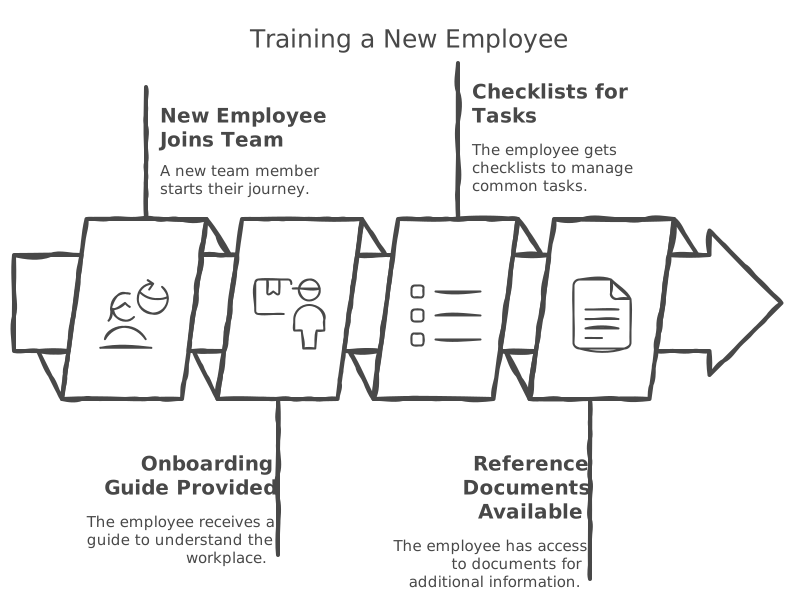
Agent Skills work the same way. You create a “training folder” for your AI assistant containing instructions, checklists, and reference materials. When the AI encounters a relevant task, it reads these materials and follows your way of doing things.
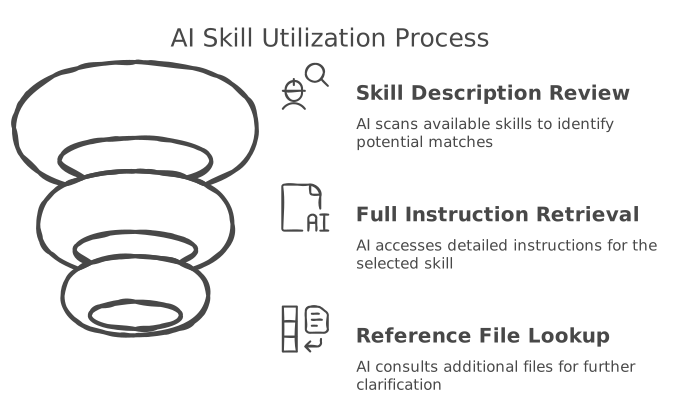
How the AI uses skills:
The AI doesn’t read everything at once—that would be overwhelming. Instead:
- At the start, it sees a brief description of each skill available (like reading job titles on an org chart)
- When a task matches, it reads the full instructions for that skill (like opening the relevant training manual)
- If it needs more detail, it can look up additional reference files (like checking the appendix)
This keeps the AI focused on what’s relevant right now.
Real example: Filling out PDF forms
AI can read PDFs, but filling out forms accurately is tricky. A “PDF Form Filler” skill might include:
- Step-by-step instructions for extracting form fields
- Guidelines for common form types (tax forms, applications, etc.)
- A small program that reliably identifies all fillable fields
Now when you ask the AI to fill out a form, it follows your documented process instead of guessing.
Why this matters:
- Customizable: Teach the AI to work your way
- Shareable: Package your expertise so others can use it too
- Reusable: Create a skill once, use it across many tasks
- Flexible: Add or remove skills as your needs change
The Bigger Picture
Each evolution came from real needs:
| Need | Solution |
|---|---|
| “Computers should understand natural language” | LLMs |
| “But they should also do things, not just talk” | Tool Use & Function Calling |
| “Connecting tools shouldn’t be so painful” | MCP |
| “Agents lack my domain expertise and organizational context” | Agent Skills |
We’re watching AI evolve from a chatbot → an assistant with abilities → a connected assistant → a capable collaborator.
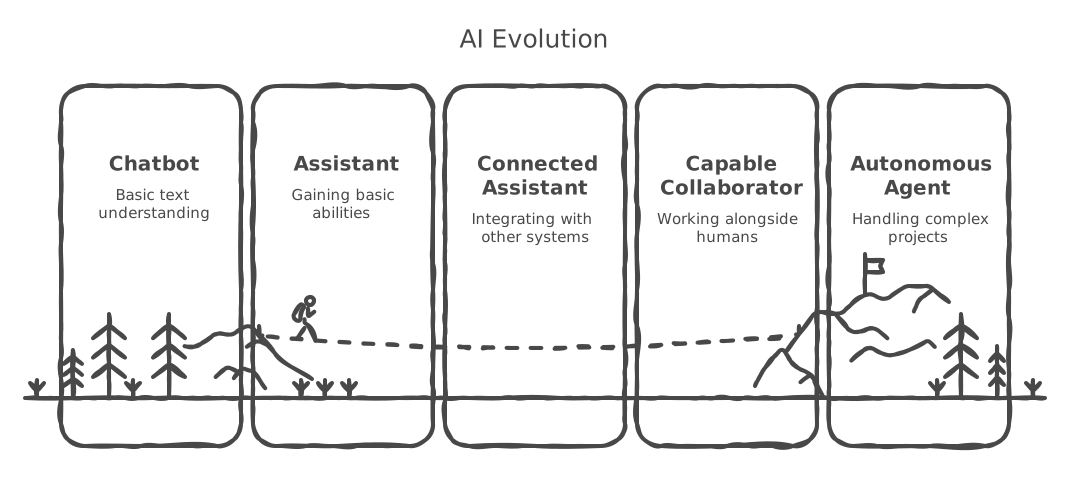
What comes next? Agents that can work together, specialize in domains, and handle increasingly complex, multi-day projects with minimal supervision.
The journey from “can you understand my words” to “can you handle this project for me” continues.